Product
Building a Kitchen Simulation With the Hello Robot Stretch 3 in MuJoCo
A kitchen simulation gives a household robot a place to learn. Drift builds a MuJoCo kitchen scene with the Hello Robot Stretch 3 in it from one prompt.
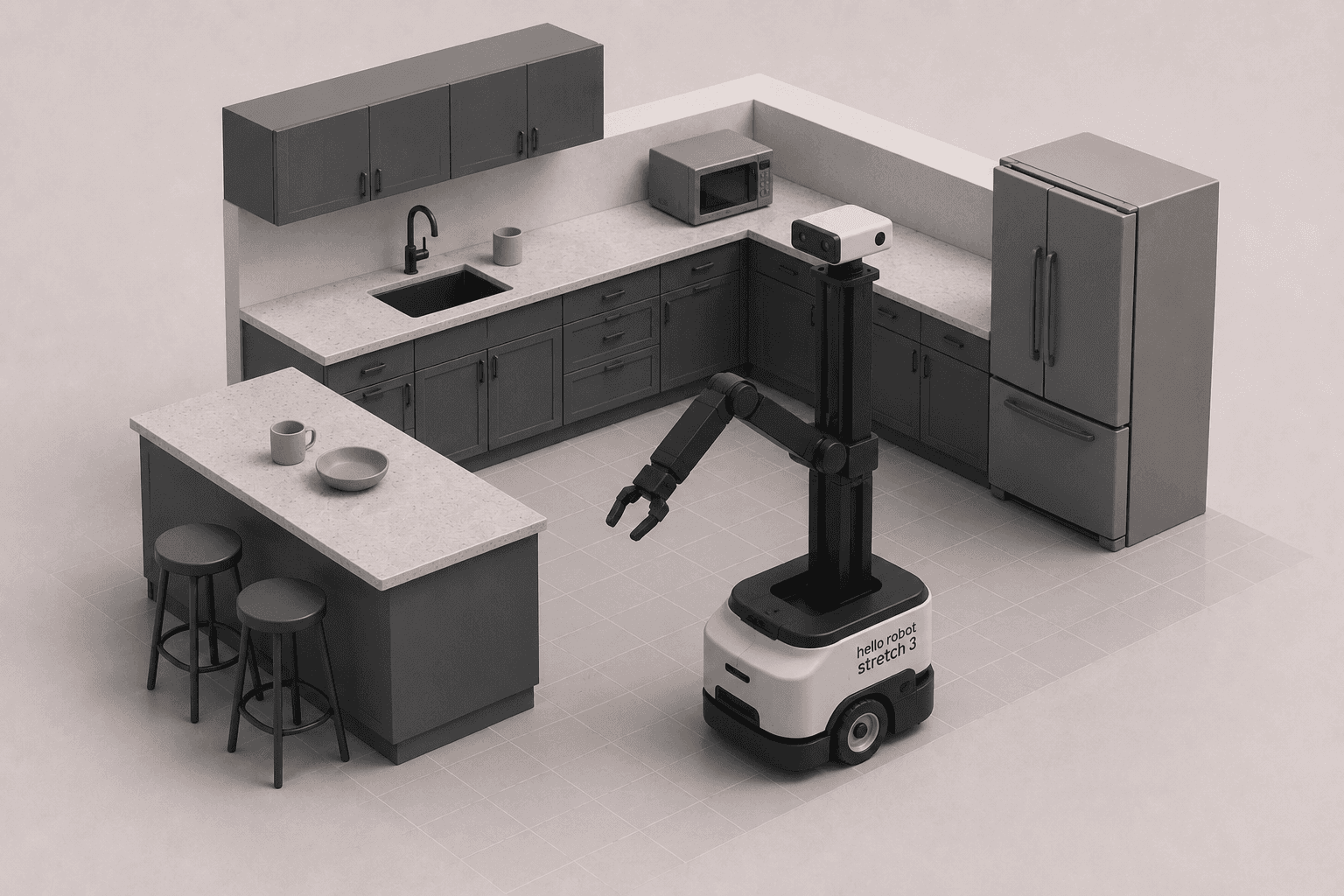
Household robots need more than smart software. They need realistic places to practice, and a kitchen is one of the hardest rooms in the house.
Smart software alone won't get a household robot very far. It also needs realistic environments to learn and operate in, and a home kitchen, full of counters, appliances, and clutter, is one of the most demanding. This walkthrough builds a kitchen simulation with the Hello Robot Stretch 3 in MuJoCo, using Drift to generate the whole scene and drop the robot in, from one prompt.
Why household robots start in the kitchen?
A kitchen is a genuinely hard environment for a robot. It's full of surfaces at different heights, tight gaps between counters and islands, objects of every shape, and tasks that mix moving around with reaching and grasping. If a robot can operate in a kitchen, it can handle a lot of the rest of a home.
That's exactly why it's a good place to test in simulation first. A realistic simulated environment lets you iterate on navigation and manipulation safely and cheaply, long before risking a real robot in a real room. Getting the environment right is the foundation everything else builds on.
Meet the Hello Robot Stretch 3
The Hello Robot Stretch 3 is an open-source mobile manipulator built specifically for human spaces like homes. It pairs a compact wheeled base with a distinctive telescoping arm and a gripper, so it can drive up to a counter, extend its arm out over it, and pick something up, all with a footprint small enough to fit through the clutter of a real kitchen.
That combination of mobility and manipulation is what makes it interesting for household robotics, and what makes it worth simulating. To do anything useful, it has to both navigate the room and act on objects in it, the two halves of the problem this scene is set up to test.
What we asked Drift to build?
After initializing a new Drift project, we gave it one instruction: create a realistic kitchen environment in MuJoCo and place the Hello Robot Stretch 3 inside it, ready for future navigation and household manipulation tasks.
The prompt describes the end state, a furnished kitchen with the robot positioned and ready, rather than spelling out where each counter and appliance goes. That's the point of working at the task level: you describe the scene you want and let Drift assemble it. New to the simulator? Here's how to install MuJoCo in one prompt first.
How Drift assembles the scene?
From that single prompt, Drift generates the simulation files and puts everything together into a ready-to-run MuJoCo scene. The kitchen layout, the objects in it, and the Stretch 3 are placed and wired into one launchable file, positioned so the robot is set up for navigation and manipulation from the start.
What would normally be a long session of scene authoring, placing furniture, importing the robot model, and configuring the world, is handled in one step. It's the same task-level scene generation behind building an office environment, pointed at a harder, more cluttered room.
Driving the Stretch 3 in the simulated kitchen
We launch the simulation and the kitchen loads with the Stretch 3 standing inside it. From here, you can already explore what the robot can do.
You can drive its mobile base around the room, extend the telescoping arm out toward a counter, and open and close the gripper, all inside a realistic household setting. Being able to move the base, arm, and gripper by hand first is how you build a feel for the robot's reach and limits before you write any autonomous behaviour. It's the same reason we explored the Franka Panda arm manually before automating it.
Where a household robot simulation leads next?
A loaded kitchen with a working robot in it is the starting point for real household robotics. From here you can develop navigation around the counters, manipulation tasks like opening drawers or picking up items, and eventually full routines that combine both.
Building realistic simulation environments is the first step toward capable household robots, because everything, the navigation, the grasping, the failures, can be worked out in simulation before moving to the real world. Drive the base, extend the arm, try reaching an object, and start building from there. The full walkthrough is in the video above.
FAQ
- What is the Hello Robot Stretch 3? The Stretch 3 is an open-source mobile manipulator from Hello Robot, designed for human environments like homes. It combines a compact wheeled base with a telescoping arm and gripper, letting it both navigate a room and reach and grasp objects, and it supports ROS 2 and Python.
- Why simulate a household robot in a kitchen? A kitchen combines everything hard about home robotics: varied surface heights, tight spaces, many object types, and tasks that mix navigation with manipulation. Testing in a simulated kitchen lets you develop and fail safely and cheaply before running on a real, expensive robot.
- How do you build a kitchen simulation in MuJoCo? You define a scene with the kitchen layout, furniture, and objects, then place a robot model inside it, in a MuJoCo scene file. In this walkthrough, Drift generates the full kitchen and positions the Stretch 3 inside it from a single prompt, producing a ready-to-run scene.
- What can you do with the Stretch 3 in simulation? Once the scene loads, you can drive the mobile base, extend and retract the telescoping arm, and operate the gripper. This lets you explore the robot's reach and behavior, and build toward autonomous navigation and manipulation tasks.
- How does Drift build the kitchen scene? Drift takes a single natural-language prompt describing the environment and robot, then generates the simulation files and assembles them into a ready-to-run MuJoCo scene with the Hello Robot Stretch 3 placed inside, so you can launch and interact with it right away.