Product
Adding an IMU to a Quadruped in MuJoCo
How does a robot know it's about to tip over? See how Drift adds an IMU sensor to a quadruped in MuJoCo from one prompt, streaming live orientation data.
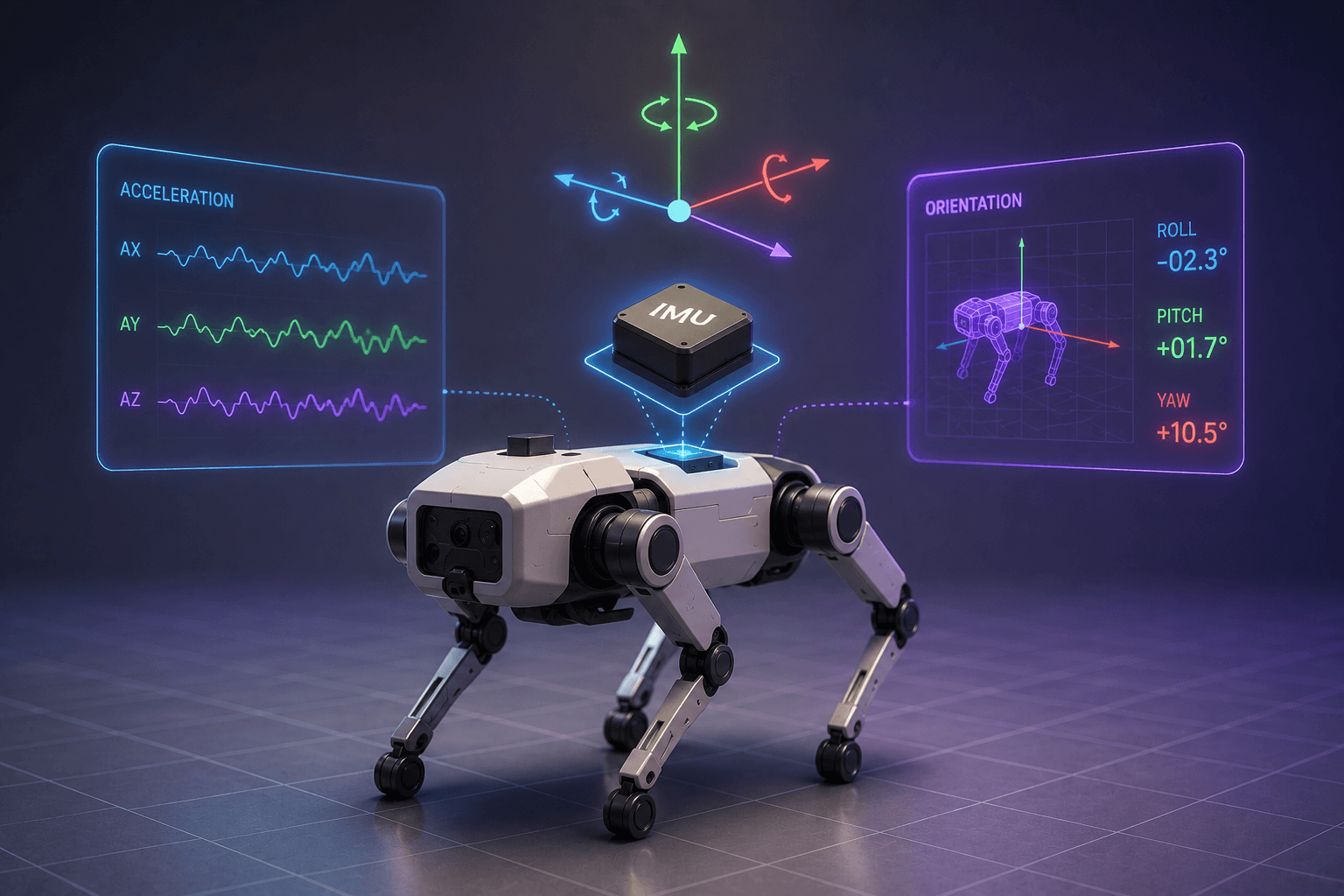
How does a robot know if it's leaning, turning, or about to lose its balance? That sense comes from one small sensor, called IMU.
An IMU, or Inertial Measurement Unit, tracks a robot's motion and orientation in real time, giving it a constant sense of how it's moving. This walkthrough adds an IMU to a quadruped in MuJoCo and rather than editing the model by hand, we let Drift wire the sensor into our existing simulation from a single prompt.
What an IMU does and why a quadruped needs one?
An IMU measures two things continuously: acceleration and orientation. Together those tell a robot how fast it's moving, which way it's tilted, and how it's rotating, moment to moment.
For a legged robot, that feedback is essential. A walking quadruped is balancing on a small base of contact points, and without a sense of its own tilt and motion it has no way to tell that it's starting to fall until it already has. The IMU is what gives a balance controller something to react to.
Adding the IMU to the quadruped with Drift
Starting from the existing quadruped scene, we give Drift a simple prompt: add an IMU sensor to the quadruped and launch it in MuJoCo.
Drift updates the robot description to include the IMU, wires the sensor into the simulation, and reports back a summary of what it changed. What would normally mean hand-editing the model and its sensor configuration is handled in one step. If you're starting earlier in the process, here's how to build the quadruped simulation first.
Relaunching the walking controller with the IMU in place
With the sensor added, we relaunch the walking controller and the simulation comes back up. The quadruped starts jogging in place, and this time the IMU is part of the loop.
As the robot moves, the IMU continuously tracks its motion in real time. Nothing about the gait looks different on the surface, but the robot now has a live stream of data about its own orientation that it didn't have before.
Reading the live IMU data as the quadruped moves
The clearest payoff is in the terminal, where the live IMU readings scroll past as the quadruped jogs. The sensor reports the robot's acceleration and orientation continuously, updating many times a second.
That stream is what a balance or locomotion controller consumes to keep the robot stable. Seeing the raw numbers change as the robot moves is a good way to build intuition for what the controller is actually working with, and it's the foundation for more advanced behaviors like recovering from a push or adapting to uneven ground.
How an IMU fits into a robot's sensor suite
Adding an IMU is a small step with a big role. Real legged robots rely on this exact sensor to stay upright, and it's one piece of the sensor suite behind stable, autonomous movement, alongside things like the LiDAR we added to a mobile robot for navigation.
With Drift handling the integration, you get from "no orientation data" to "live IMU stream" in a single prompt, so you can spend your time on what the robot does with that data. Add the sensor, relaunch, and watch the readings. The full walkthrough is in the video above.
FAQ
- What is an IMU in robotics? An IMU, or Inertial Measurement Unit, is a sensor that measures a robot's acceleration and orientation in real time. It gives the robot a continuous sense of how it's moving and which way it's tilted, which is essential for balance and stable motion.
- Why does a quadruped robot need an IMU? A legged robot balances on a small set of contact points and can tip over easily. The IMU tells it how it's tilting and accelerating moment to moment, giving a balance controller the feedback it needs to keep the robot upright and moving stably.
- What does an IMU measure? An IMU typically measures linear acceleration and angular orientation, and often angular velocity. Combined, these describe how the robot is moving and rotating in space at any instant.
- How do you add an IMU to a robot in MuJoCo? You add the IMU to the robot's description and configure it to publish acceleration and orientation data in the simulation, using MuJoCo's built-in sensor definitions. In this walkthrough, Drift makes those changes to an existing quadruped and relaunches it in MuJoCo from a single prompt.
- What does Drift do when adding an IMU? Drift updates the quadruped's model to include the IMU sensor, wires it into the simulation, and launches it, all from a natural-language prompt, so the sensor is streaming live data without manual editing.